Tuesday, March 30, 2010

Comment 4 kids Week 12

writing

This week I went back to Room 8 at Pt England School in Auckland, New Zealand. I commended on Maysun and little boy who made an imovie about what goal he has set for himself and to get better by the end of the school year. Maysun has chosen writing as his goal.

where was week 11

Our week 11 was known as spring break. So no week 11.

Monday, March 29, 2010

Dear Kaia (week 12)

Dear Kaia

Kaia’s story was started when her father had read a book called “The Last Child in the Woods.” He told his daughter go outside and explore and play. Kaia took a camera and snapped her adventure. Her father took those pictures and pictures of his family and posted them to Kaia’s blog so he can share Kaia’s life. What I was surprised about is the video that Kaia and her father made about the pictures she took outside. That shows that a child as young as Kaia can work and learn about technology and me and others older than me never even knew how to post a blog when coming into this class.

I watched the voice thread in Kaia’s father’s class blog. It was interesting seeing how voice thread works and how a whole class can communicate with this little girl without being face to face. There are people that think that Kaia’s father was wrong to but his daughter on a blog at an early age, but they do not see how children today are changing with technology. We have to let good overcome the bad.

Thursday, March 18, 2010

Schooling or Education (week 10 )

teacher training

This week I watched a video by Dan Brown that a future teacher named Morgan Bayda found and posted on her blog. Mr. Brown talked about how he dropped out of school because if was affecting his education. Like Mr. Brown said, “Education is an essential.” He said that in most of his college classes, his teachers had too many students that they didn’t know names or details about their students. The professors will have him spend thousands of dollars on textbooks but never use them. Teachers will only teach the facts on subjects then to educate on how or why. We can always go onto the internet to get facts within seconds, we need training.

As a future teacher, I have to be ready to be an educator and not just a fact giver. During my freshman and sophomore level classes in Georgia, I found that I drowned in the sea of other students. Most of the teachers I had never even knew I was there. In the five years of schooling that I had done to get my first bachelors degree, I have spent thousands on textbooks and over half never got out of the package. If it wasn’t for needing a certification to teach, I would have sought my education elsewhere.

Wednesday, March 17, 2010

Comment 4 Kids (week 10)

pot of gold

This week I had a student in Mrs. Jordon’s class named Hannah. Her project was to read a book called, “The Pot of Gold” then to create a beginning, middle, and end project about that book. Hannah shared that her favorite part of the project was when she drew the pictures to accommodate her story.

Monday, March 15, 2010

Teaching Presentation (Project 8)

Live movie maker logo

I did my teaching presentation over how to make a movie using photos and music from you computer. This program is on windows 7 and is called Live Movie Maker. For an example movie, I used my daughter Kaitlyn's pictures.

Google Earth (Project 12)

Mickey ears google earth logo

I did my Google Earth project over Disney world.

VoiceThread (project 7)

voicethread main menu

For my
voicethread
project, I read a child's book called "Snugg and the Shoe-Fly Flu" by Stephen Cosgrove.

Tuesday, March 9, 2010

Comment 4 Kids Week 9

Oscars logo

This weeks comment 4 kids was a website called English with Rosa. The post that I was assigned was “And the Oscar Went To…UP!” This was a recap from the 2010 Oscars from March 7th. They had 12 votes from the class that the Disney Pixar animated film Up will when this years Best Animated Feature Film of 2010. The votes were in and the majority of the class won their poll.

The following is a clip of the Oscars that was placed with the post.

Sunday, March 7, 2010

Help in Alabama Education (week 9)

ACCESS logo

ACCESS

What is ACCESS? Alabama Connecting Classrooms, Educators, and Students Statewide (ACCESS) a program that allows low income students in high school and living in the state of Alabama expand their education through online based courses or by using Interactive Videoconferencing (IVC). Alabama created ACCESS to provide a better opportunity for these students to use and get familiar with technology that is coming out in the 21st century. ACCESS was started in November of 2004, but is increasing the number of students each year and hopes to keep increasing for the next several years.

I do think that ACCESS is a great resource for certain students when they are older like high school grades, but I do not think that I would be using the ACCESS program in my classroom because I will be teaching in an Elementary School environment. If for any reason I am placed in a High school environment I would use this program and reprehend the program to others. Even though I would not be using this program it’s a good idea for all teachers to have the information. I haven’t lived in Alabama long, but the other states that I did reside in did not have anything close to what Alabama has with ACCESS.
ALEX logo

ALEX

The Alabama Learning Exchanges (ALEX) is a resource of teachers, students and parents that are in the educational field needing assistance in academic lessons. The ALEX web site gives a list of courses offered with the program, a personal workspace for the student, search engines to use for research, lesson plans, web pages and person learning tools. You can also find podcast over different topics to give students a visual learning tool. Teachers will find this program useful because they can be taught and get a strong knowledge of how to use ALEX for their students. The best part of ALEX is that it is free.

I think that ALEX is a great source for Alabama teachers and students. Being a special education major, ALEX also gives resources and curriculum ideas for different disabilities. This program will in the future benefit me in my classroom. I would use all the resources available in this website. The web links are useful as well as the lesson plans.

Comment 4 Teachers (weeks 7,8,9)

Matrix grid

JF Hadley is a teacher of an all girls school in Philadelphia. She is a teacher of English and History. Ms. Hadley started a blog called Middle School Matrix- Exploring the changing world of Middle School teaching and technology. I read some of her blog posts and choose these three to post about, global fun and laughter, inanimate objects=dinosaurs, and when the tech tool fails.

The first post is called, "Global Fun and Laughter". This is about JF Hadley’s Personal Learning Network (PLN) and how it affected her classroom. As one of her networks that she uses for her PLN, she twittered to a teacher that was in Japan. This communication with text allowed them to share resources and information about the other county. To increase her student’s interest, the teacher from Japan sent samples of Japanese food for each of her students in the class. To continue to view other networks for her PLN, the Japan teacher sent her Skype address and got her connected. Now Ms. Hadley is able to put a face and voice to her teacher friends in other countries.

Since I am learning about my own PLN, it is nice to see how different teachers are able to have an outcome of experiencing food from Japan. I think that it would be a good idea to have teacher friends that are in other countries like that to send things like food and to also bring the United States to them. This is positive outcome for PLNs to have Twitter, and Skype as a network.

There was a post that Ms. Hahley posted titled, “Inanimate Objects=Dinosaurs”. This post is about how her granddaughter was using her iPhone with an app called Bubbles. When she showed and instructed her granddaughter how to play the game and the little girl tried without success left the phone upset. She later came back with determination and took the phone and succeeded in playing the game. This made Ms. Hardley think about how children in the world today look towards devices like iPhones and computers that have touch and sound interactions.

This reminds me of how my daughter learned how to use my DVD player and iPod. She wound watch me use my fingers to activate the devices and when I turned away, she would play and work the devices herself. Now at two years of age, my daughter can change out and play DVDs in the player, turn on and off computers and televisions, and switch songs and turn up and down the volume on my iPod nano. She knows that by doing this, it will give her the outcome that she wanted, to watch Curious George.

The last post that I read was called, “When the Tech Tool Fails”. Ms. Hahley did this post as a response to Jason Bedell’s help for his book. He was looking for teachers that had stories about technology tools that were used in the classrooms but failed to work. Ms. Hahley told him how she was going to use video camera to tape her students reenacting four events that lead up to the Revolutionary War. The movies would be with props and costumes. Both her and her students took more time in getting changed and trading props that it took too long to film. In the end, they stopped short and had to move on not finishing the project.

Ms. Hahley has said that this did not discourage her to continue to use movie making in her classroom, but taught herself that she should only use less events. I think that this project was a fun creative way for the students to learn. They have a way to be a part of the war like a reenactment. I would use her ideas as a fun activity to use team work while learning an important part of history.

Thursday, March 4, 2010

Timetoast Timeline (project 10)

Timetoast timeline
For my timetoast timeline project I did it over American Presidents.

Click here to view timetoast timeline

What is Skype? Why is it a great tool to use? (project 6)

skype logo
Before attending my EDM 310 class, I had already activated and was using Skype. Skype is a free way to communicate person to person, even if the person is across the World. For example, my best friend Marcy was transferred for work in Mexico. After giving each other our account names, we are able to talk to one another like we would on our land line phones or our mobile phones. This allows us to talk as long as we want and not worry about a high phone bill. Another way that I use Skype is to instant message my high school friend who lives and teaches in China. Sometimes we do an audio feed to her students while their in class. This saves texting fees on our mobile phones.

Skype is more than just audio and texting. It is also about video messaging and sharing folders. My husband’s family lives in New York and they do not get to see our daughter often, so once a week we use the web cameras and start a video conference between the two homes. I also share my picture folder of my daughter with them so they can see every detail of her life. Skype is a great way to stay close to the ones you love. But it can also be a helpful resource to use for businesses. Skype can do both video and audio conferences. Businesses also can share their folders, saving money on postage.

Skype me at haludwig84.

Tuesday, March 2, 2010

Google Forms- Winter Olympics (project 5)

olympic ring logo
For my Google Form project I did a survey of the Winter Olympics. There were twenty-one questions in the forms of text, multiply choice, check the box, and selecting one of the following, and rating. I had a total of thirty-four responses returned.

The responses showed that seventy–four percent (74%) said that they have watched the Winter Olympics at least once. Seventy-nine percent (79%) have watched the summer Olympics. Forty-one percent (41%) are watching the 2010 Winter Olympics. Thirty-five percent (35%) last watched the winter Olympics in 2006. nine percent (9%) last watched in 2002. Eighteen percent (18%) last watched in 1997. Three percent (3%) last watched in 1989. The last three percent (3%) last watched in 1981. Fifty percent (50%) of the responses said that Figure Skating is their favorite sport followed by snowboarding at twenty-four percent (24%). Curling and Ice Hockey tided as the least favorite sporting event at twenty-six percent (26%) each. Fifty-three percent (53%) rated figure skating at the highest. Thirty-two percent (32%) rated Ice Hockey in the middle. Seventy-six percent (76%) of the responders support other countries other than the United States of America. Sixty-eight percent (68%) don’t keep track of the medal counts of each country. The majority of the responses did not have a favorite athlete. They also wanted to see the United States and Canada compete for medals against each other. Eighty-five percent (85%) of the responders said that the Olympics are dangerous. When asked where they would like to see the next Olympics being held, they said the United States. The sporting events that got the middle rate were Loge, Bobsleigh, Mogul and Snowboarding. For the opening ceremony this year, sixty-five percent (65%) enjoyed it were thirty-five (35%) did not. Eighty-eight percent (88%) want the United States to get the most medals this year.

Comment 4 Kids Week 8

wavelength

This week I’m posting off of a post by a teacher. My teacher's name is JK McClung for the blog Mr. McClung’s World. The post I did was a presentation called Properties of Waves. Mr. McClung gives definitions of Amplitude, Wavelength, frequency, and speed. It also has a mini lab that is at the end to help the students have a fun educational time to learn about waves. I like the way that this teacher posted a small lesson by a presentation that the students can get on at all times of day and look back to do their work.

Monday, March 1, 2010

Randy Pausch’s Last Lecture (week 8)

randy pausch

“Achieving your Childhood Dreams” by Randy Pausch takes about his childhood dreams. He then said that he did achieve his dream and explained what he did to get there. Dr. Pausch gives several examples of what he dreamed of doing as a child. Dr. Pausch then went on to talk about how we can help to achieve the dreams of our students. This can be achieved just as being their teachers. Teachers are a big factor in children’s future. What we tell them and teach them now will always be with them in the future. Dr. Pausch gave a couple of examples of students he helped to achieve their dream.

Dr. Pausch ended his lecture talking about with a list of five points. The First point is to remember that brick walls let us show our dedication. You should stand strong to what you want to accomplish. The second point was to not bail. Do not start a goal and not finish it through when it starts to get tough. Another point is to get feedback and learn from them. Take the good comments as well as the bad and use them for future references and keep learning for them. Fourth point is to show gratitude. When you get help, let them know that you happy they could help. You never know when you would need that help again. The last point is do not complain just work harder. When it gets tough, just keep pushing. In the long run it will be worth it.

The most memorable thing that Dr. Pausch said was, “It is not about achieving your dreams…it is about how to live your life. If you lead your life the right way, the karma will take care of itself and the dream will come to you.” I found his lecture to be inspirational and creative. Dr. Pausch lectures inspired me to become a better future teacher, mother, daughter and wife. He reminds me of things that my teachers in high school and my family have told me in the past. I would like to see that being a teacher can change even one child’s life. So when I’m gone from the world, my life would have been worth something positive and good.

In my high school yearbook, my parents placed a message that I have always held close when deciding what I wanted to do in my life. They wrote, “Never loose hope in your dreams. There will always be hard times in the road ahead, but never get discouraged. Always reach for the highest dream and complete it. This will make you great.” I hope to one day tell my students this same thing. Like Dr. Pausch said in his lecture, “chase your dreams, help others, and give good advice.”

Thursday, February 25, 2010

Tuesday, February 23, 2010

Technology and the Future (week 7)

Computer in the library
Richard Miller: This Is How We Dream Parts 1 and 2

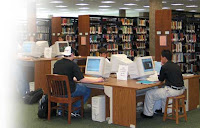
“This Is How We Dream parts 1 and 2”, by Richard Miller explains how technology has increased since he was first starting into his field of work. Libraries were where you had to go to do research and to find books to read for pleasure. Now books are no longer being printed and can be found on shopping sites for less than a dollar. Mr. Miller says that there are less people being found in libraries unless there are computers and other technology available to the public. In a short time, technology has advanced and are you ready? I think that I am going to be prepared with the help of my technology classes during college. To stay on top of technology as it expands in the future, I will do research and teach myself to learn for my students.

I think that technology has expanded and grown for the better. Cell phones and computers are becoming a part of everyday life. Schools have become simpler for students as well as teachers because of the use of computers in the classroom. Computers allow the students to explore different countries and cultures just as well if not better than books did.

With technology already introduced to children in this generation, they will grow with the technology today and should adapt easily in the future with advances. Multimedia should not be difficult for students to learn being raised with computers, cell phones, webcams, and social networking. Maybe with the resources at our figure tips, schools can decrease the cost of school supplies like paper, textbooks, markers, and replacing the chalkboards or dry erase boards as they get scratched.

The Networked Student by Wendy Drexler

“The Networked Student”, by Wendy Drexler is a mini video about how a student uses the wide range of networking to complete and gather information for his class. Ms. Drexler explains the different technology programs like Skype and blogs that helped this student to succeed in his work. The most important thing that was said in the video is when Ms. Drexler says, “Don’t be scared to ask.” Even though classes a utilizing technology networks, teachers are still the main source for information.

All students no matter the age should be connected to the world. Ms. Drexler also mentioned that students have experts in the subject field at their figure tips. They also have the resources to communicate with other students to learn and come up with ideas together. The students do not have to be controlled by their learning. If students take the initiative and explore the lessons further than the classroom, they will be a step further in their learning.

There is networking programs out that students use on daily-bases that they never knew could be used as a learning tool. For example, IPods became a popular device that a lot of children and teens wanted to store music and movies. To get music and videos on their iPods, they would use iTunes. ITunes downloads more than just music and videos, but podcasts of broad range of topics by teachers and experts in their fields. Networking in the 21st century to students is vital. All students should take education seriously and expand outside the classroom.

Toward a New Future of Whatever by Michael Wesch
Micheal Wesch

Michael Wesch does it again. His video “Toward a New Future of Whatever” is accurate to how it was like in 1984 to present. Teens and even some adults like to use the words ‘Whatever’ when they do not know what to say next or have a brain freeze. The problem with this is those individuals write using these words. Technology devices that are able to check spelling and grammar have a tendency to over look these words. Mr. Wesch also is accurate when he mentions that real feelings of people come out when they are on internet communication sites like YouTube.

Are youth today are learning their communication buy watching videos and celebrities. Celebrities, like Alec Baldwin and Charlie Sheen, are role models to the children. How they communicate to the public reflexes in the youth. MTV and VH1 are popular youth music stations that communicate to children and teens through song. When looking at sites like YouTube, teens and younger people are making their own music videos and communicating solely on that. Whatever happened to people inviting other people to dinner and having a nice face to face conversation?

Monday, February 22, 2010

Comment 4 Kids Week 7

Traffic Sign

Divina is student in Mr. Brian Crosby’s 4th grade class. She did a post about Garret Morgan and the traffic signals. Divina did research about the first traffic signals that were created by Mr. Morgan with arms that moved up and down to signal traffic to stop or go. Then she said how the traffic signals advanced since Mr. Morgan’s first signal. Divina, did not agree that traffic signals were helpful when Mr. Morgan first invented them. This student educated herself with the information well for her post. I do think that Mr. Morgan’s traffic signals did help car traffic in the past as well as they help in the present and hopefully in the future.

Friday, February 19, 2010

Personal Learning Network (PLN)

PLN Bubble Chart

With so many different technologies and networking in the world today, it is hard to come up with an excuse as to why a person could not get helpful resources in any activity they do. I have come up with three ways to develop my personal network. This ways are podcasting, RSS and class blogs. A person does not have to physically talk to a person face to face to get the same outcome from that simple action.

Podcasting is a great resource to find creative ideas and other resources to communicate and make the classroom better. Being a special education major, I found a videocasts called ‘Special Education with Thomas Cervantes.’ Mr. Cervantes videos give special education teachers a resource to use their educational techniques without allowing other students know that they have a disability. These videos also allow teachers to put in comments and suggestions to other teachers that need more help in areas. Mr., Cervantes gives ideas for assignments and projects to accommodate the Students Individual Education Plan (IEP). Besides special education podcasts, I follow another videocast called 'Educational Technology Resources’. This podcast gives sessions that end with helpful electronic devises and tips for technology in the classroom for grades k-12.

The second networking I follow is using RSS for my EDM 310 class blog site. By adding the class blog to RSS Reader, I’m able to look and see if the class blog as had any new post since my last visit. This is helpful so a person doesn’t have to scroll down the page and possible mess a post that could be useful in the future. For example, an extra assignment given by a professor that could be do the same week.

The last network that is helpful to me is a class blog. There are two blogs that I follow on a regular base. One is the EDM 310 class blog. The second one is a elementary school blog called ‘2BC’, This blog is a great resource because it allows students, teachers, parents and anyone else the ability to see the students through video and podcasting as well as hear the students personal experiences in class. This blog gives parents the chance to witness what their child is learning while at school. An example of a video that they posted is an assignment to work in groups and solve a problem together. This is a fun educational resource and I would recommend to any teacher for ideas and inspiration.

A Vision of K-12 Students

This video is called "A Vision of K-12 Students Today" told by children and teens what they are and how they need to learn. What do you think?

Thursday, February 18, 2010

I Need My Teachers To Learn


This is a great video that shows us what EDM 310 is about for us as future teachers need to learn for our students to achieve their dreams. This videos shows still images but its the words you need to hear.

Wednesday, February 17, 2010

A Commercial about bringing Technology into the Classroom by Kaplan University


We should adapt our students to technology instead of letting technology adapting to our students. This just reminded me of EDM 310

Plus this helped me practice to embed videos on my blog.

Google Earth, iTunes, iPods, Oh My (week 6)

Dr. Alice Christie
Dr. Alice Christie's Web Site

In her website, Dr. Alice Christie has helpful links and information over different programs that can help teachers in the classroom. One link that I thought to be help as a future teacher is Google Earth. What is Google Earth? It is a program that can be used in the classroom to allow students to be interactive with class lessons and make the lecture more imaginable and fun for children.

My personal reasons to interact Google Earth in my classroom are one; it gives educators support with resources to interpret technology into my classroom. Another reason why I would enjoy using Google Earth is that it can allow my students to learn in a visual experience. This web program allows me to take my lessons and turn them into fun way of interacting students as groups or as individuals. If my students are able to understand information and facts through pictures this is the site to help.

iTunes University

iTunes U logo
iTunes University is great of students to use because it is free for all to download as much material as they want. It is a resource that can be used by both teachers and students. University is used by the program iTunes that gives free information and resources in the educational field. Books, videos, and podcasts are available and can be accessed in the classroom or at home. The material that can be found ranges from history to math. This gives teachers Varity of different techniques of introducing new subjects to their students.

There are thousands of videocasts /podcasts that illustrate different techniques used by people around the world. Some people add music in their podcast as an extra effect. There are also teachers that post their students podcast for educational purposes. iTunes University is a great resource for teachers to share their ideas to other teachers and find new ways to interact students into groups

iPods
iPods
IPods can be useful in education not only in grade schools like middle schools and high school but also in universities to interact technology and academic subjects together. An example university is Duke University. Researchers at Duke University posted an article about iPods in the classroom and how it has increased in just one year. It also said that the university has courses that require the use of iPods. The university’s Center for Instructional Technology (CIT) says that over 1,000 students in 42 courses will use the iPods to expand class materials and lectures.

IPods are also used at Hilton Island Middle School for students who have Learning disabilities with little English comprehension. Teachers at the school interact with the technology device to allow students the ability to learn how to read. Another part of the middle school uses iPods for ESOL (English for Speakers of Other Languages). Teachers commented that students get excited to use the iPods because they are familiar with the devices.

Wiki


This Wiki space is designed and started by Dr. Strange. Dr. Strange took a question that was asked in 2007 by author Karl Fisch of The Fishbowl ans a director of technology in a high school in Colorade. His question was Is It Okay to Be A Technologically Illiterate Teacher? An answer that Mr, Fisch said was “If a teacher today is not technologically literate- and is unwilling to make the effort to learn more-it’s equivalent to a teacher 30 years ago who didn’t know how to read and write.”

Dr. Strange also gives his own questions to ask and tries to get a discussion dealing with Mr. Fisch’s question from three years ago. I think this is a great idea to have a place like Wiki that you can go and chat with others about their ideas on the matter

Monday, February 15, 2010

Comment 4 Kids Week 6

Twilight,New Moon
Nikora is a student at an English school in Auckland, New Zealand; her project was to tell of an event during her holiday break that she enjoyed the most. This student talked about a family trip by train to go to the movies to watch Twilight, New Moon in a movie theater. The class also had to show short slides of a drawing from their experience. Nikora showed an illustration video of her favorite part of the movie when the two wolves fought.

Saturday, February 13, 2010

Don't Teach Your Kids This Stuff. Please?

Little Girl infront of the Computer
Scott McLeod' s post over “Don't Teach Your Kids This Stuff. Please?” says that using computers and cell phones are unthinkable to children. Mr. McLeod suggest that with using web programs like Twitter and Facebook, it is dangerous and harmful to a students learning experience. The post several times said to stop using technology. When Mr. McLeod said, “...don't do any of it, please really 'cause I'm doing all of it with my kids can't wait to see who has a leg up in a decade or two can you?” says to me that he really says he thinks that if a student does use technology that, they will be higher up on the learning and intellectual scale then the students who does not use this technology.

Wednesday, February 10, 2010

Can Wicipedia be trusted?/ What I've Learned this Year (week 5)

Wikipedia
NPR article

This article explains how a college student named Virgil Griffith found a way to detect that others were getting onto an information site called Wikipedia and changing the information to make it false. When people got onto the program, it finds the “fingerprints” of the wrong doers. Mr. Griffith found out that anyone can get on the site and change information to make them truer to benefit the topic or false to turn people’s ideas about the topic. Wikipedia is used by a lot of people. Most of these people being school students, getting information about a research topic or person for class assignments and papers. But can, with this new information, make Wikipedia trustworthy for the information?

When I do papers for History or English, I try to stick to web pages that end in a .gov. This makes me think and my other professors from a previous college to be more accurate than others ending in.com or .org. This doesn’t mean that I would never use Wikipedia ever, but I will get other information from different sites as well. With what Mr. Griffith found out it is hard, to me to be considered a realizable source. When reading the information on Wikipedia I would now always question if somebody as changing the information for better or worse.

"What I've Learned This Year" by Mr. McClung

“What I’ve Learned This Year” by, Mr. McClung is about a teacher that had just had his first year in the classroom and shares his experience in what he learned from that year to help future teachers on their first year of teaching. Mr. McClung gives seven main advice tips. Those are, learn how to read a crowd, be flexible, communicate, be reasonable, don’t be afraid of technology, listen to your students, and never stop learning. There were two things that stuck out at me in this blog. The first ones was when Mr. McClung said, “No lesson is ever perfect. The lesson you teach and the one you plan are always different.” Another one said, “I know my teacher cares about me as a person when he listens to what I say.”

What I take away from this blog is that I can not go into my first year of teaching expecting everything to go as planned. You never know what can happen from day to day. I will also know that all students are not perfect, just like I’m not perfect. As a teacher you have to listen to what a student tells and correspond to their needs. The biggest thing that I will take away from this post is that I can not stop learning just like a student can not stop learning. Teachers and students will learn together.

Tuesday, February 9, 2010

Comment 4 Kids Week 5

Willunga Primary School does team challenges every week. These team challenges allow students the opportunity to work as a group to solve problems and to work as a group to solve that problem. The school showed this week’s challenge of packing Cinderella’s suitcase with five things that they think she would need to stay out of trouble in the fairytale. Students come up with a watch, camera, extra ball gown, and tighter shoes. This activity is a great idea for team building skills. It allows the students to use both their imaginations and ideas.

Comment 4 Kids Week 4

The Million Dollar Strike
Alyssa U. from Avoca School District 37, read the book ‘The Million Dollar Strike’ by Dan Gutman. This student then commented on her blog what she liked the most about this book. Alyssa says that this book is about bowling and money. Her favorite character is Mr. Z because he is different than most characters. What made me excited about this pacific book was how Alyssa was excited about the characters that were betrayed. A book is nothing without its characters.

They Might Look Little but they have Big Media Potential/ Ms. Cassidy's Class

Media Literacy in the First Grade (Ms. Cassidy's Class) and Little Kids…Big Potential are video podcasts of first grades ages five and six showing the general public that they are able to take you to blog sites and teach you how to use the internet. One student says that her vocabulary has increased by doing this and another student says that he is able to ask better questions. It’s amazing how students as early as first grade are able to utilize technology quickly and efficiently. The apart that intrigued me was the boy that instructed how we should comment on others post. He says that like the age old saying from mom, “If you can’t say anything nice, don’t say anything at all.” That is true to comments too.

IPhone and a One Year Old

iPhone
The IPhone baby video showed how a one year old boy was able to take a standard Apple IPhone and navigate from the applications page to the photo gallery page. The little baby knew that he could move the page from left to right by just his figure. It is true how children today are able to figure out technology. For example, when my daughter was one, she was able to open and close the DVD player and was able to stop, play, forward, and rewind the DVDs. She also taught herself how to turn on and off the television. Know at two years, she is able to work more with how to bring up and down webpages on my computer. Babies are getting to smart for their diapers.